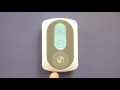


Prolon PL-T1000-WWL Communicating Digital Wall Sensor
Overview
The Prolon PL-T1000-WWL is a communicating digital wall sensor with a white enclosure and white label. It sends zone temperature, setpoint and occupancy override information to Prolon VAV or HPS controllers, and gives on-screen access to view and configure any parameter of the connected VAV controller.
A circular capacitive touchpad and a backlit graphic LCD handle setpoint changes, schedule override and menu navigation with scrolling, tapping and holding motions; there are no moving parts to push or rotate. The sensor is powered by the controller it talks to and wires through either a 4-pin screw terminal block or an RJ45 jack for standard CAT5 cable. An auxiliary 10K type 3 thermistor input adds a second temperature reading for averaging or radiant floor slab temperature.
Best For
- Zones served by Prolon VAV or HPS controllers
- Viewing and configuring a Prolon VAV controller from the wall through on-screen menus
- Averaging two room temperatures or reading radiant floor slab temperature through the auxiliary input
- Zones where occupants adjust setpoints and override the schedule at the wall
Warranty
For warranty terms on this Prolon product, contact ZOT Supply at sales@zotsupply.com or 855-825-2811.
Key Features
Capacitive Touchpad
Scroll, tap or hold around the circular pad to adjust and navigate. No moving parts, and on-screen hints show where to touch.
Backlit Graphic LCD
80x130 pixel display shows room temperature when idle and heating and cooling setpoints while adjusting.
Configures the Controller
Hold left for 8 seconds to open the connected VAV controller's configuration menus: temperature, damper, pressure, outputs, radiant floor, calibration and network.
Auxiliary Thermistor Input
AUX IN and COM terminals accept a 10K type 3 thermistor for temperature averaging or radiant floor slab temperature.
Two Wiring Options
4-pin screw terminal block for twisted pair or RJ45 jack for CAT5. Power (24 VAC Class 2) and Modbus RTU communication run on the same cable.
Schedule Override
Scroll clockwise on the setpoint screen to override the schedule; a sun icon confirms occupied override.
ZOT Supply is an authorized distributor of Prolon products.
Technical Specifications
| Supply | 24 VAC ±10%, 50/60 Hz, Class 2 |
|---|---|
| Power Consumption | 5 VA max |
| Temperature Sensor | 10KΩ Type 3 NTC thermistor, 1% precision |
| Auxiliary Input | 1 analog input (thermistor 10K type 3), 10 bit resolution |
| Outputs | None |
| Communication to Controller | Modbus RTU, RS485, 57600 bps (sensor acts as Modbus master) |
| Screen | LCD 80x130 pixels with backlighting |
| Interface | Circular capacitive touchpad |
| Sound | Audible feedback during user interactions |
| Microprocessor | Atmel 32 bits, 60 MHz, 256K bytes Flash memory |
| Connection | Screw-type terminal blocks (16 AWG max) and RJ45 modular jack |
| Face Dimensions | 3.23 x 4.96 in. (82 x 126 mm) |
| Weight | 0.5 lb (0.23 kg) |
| Environment | 32-122 °F (0-50 °C) |
| Mounting | Standard 2 x 4 in. electrical box |
| Enclosure / Label | White enclosure, white label |
| Compliance | FCC CFR47 Part 15, Subpart B, Class B; ICES-003 Issue 5, CAN ICES-3 (B)/NMB-3(B); RoHS Directive (2002/95/EC) |
Specifications per Prolon Hardware Guide, Digital Sensor T1000 Series, REV 7.3.0 (PL-HRDW-T1000-F-EN), and Prolon Quick Start Guide: VAV Controllers & Wall Sensors, REV 4.0 (PL-QCK-WSENSOR/VC2000-EN), and Prolon Datasheet, Digital Sensor PL-T1000, REV 7.1.0 (PL-DATA-T1000-C/F-EN), reviewed September 25, 2026.
Documentation

Frequently Asked Questions
Which controllers does the Prolon PL-T1000-WWL work with?
The PL-T1000-WWL is designed to operate with Prolon VAV or HPS controllers. It provides zone temperature, setpoint and occupancy override information and can view and configure any parameter of the connected VAV controller.
How is the PL-T1000-WWL wired and powered?
It is powered by the controller it communicates with (24 VAC Class 2). Wire it through the 4-pin screw terminal block with twisted pair, or plug a CAT5 cable into the RJ45 jack. Either connection carries power and Modbus RTU communication over RS485 at 57600 bps.
What can the auxiliary input be used for?
Connect a second 10K type 3 thermistor to the AUX IN and COM pins. The sensor can use that reading for temperature averaging or as a radiant floor slab temperature.
How do occupants override the schedule?
Go to the setpoint screen and scroll clockwise to override. A sun icon shows the override is active (occupied mode); a moon icon indicates unoccupied mode.
Where should the sensor not be installed?
Avoid direct sunlight, outside walls, locations near an air discharge grille or a dimmer switch, and locations where vertical air circulation is restricted.
What do the letters in PL-T1000-WWL mean?
The letter after T1000- is the enclosure color (B = black, W = white) and the last two letters are the label color (GL = grey label, WL = white label). The PL-T1000-WWL has a white enclosure with a white label.
- Sensor Type:
- Wall Mount
- Supported Protocols:
- Modbus RTU
- Setpoint:
- Setpoint
- Override:
- Override
- Display:
- LCD Display